Test measurements. One shared archive.
Bring measurement records from test benches and laboratories into a shared archive, with instrument and test context preserved.
30-minute discussion ↗Where is the record, which test does it belong to, and under what conditions was it collected? Disconnected files make these questions difficult to answer.
Who is it for? R&D and quality teams operating multiple test benches or laboratories.
- Bring measurement and test records into a common archive.
- Evaluate test conditions, channel data and results together.
- Give authorized users access to the same data.
Keep the measurement source
A numeric result alone is not enough for a reliable comparison. Review instrument, channel, unit and measurement session information together. Distinguish identically named channels from different sources.
Reuse saved records
Open measurement sessions from the shared archive and select the relevant channels. Prepare new charts and reports from the same recording to reduce uncertainty between separate file copies.
Plan the migration of existing files
Use of legacy records depends on their file structures and available fields. Map the preserved source, unit and test information to define the scope of migration to the shared archive.
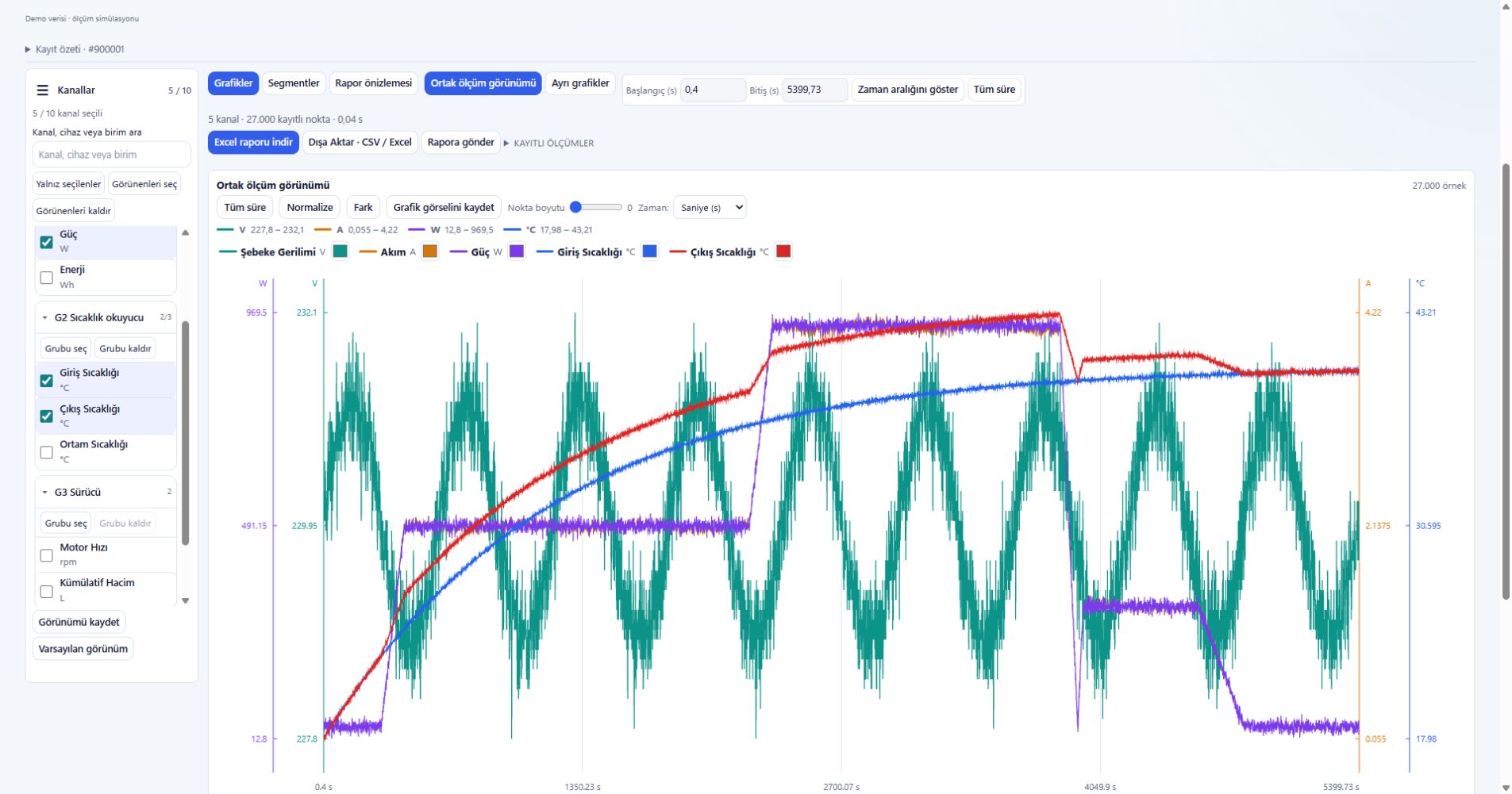
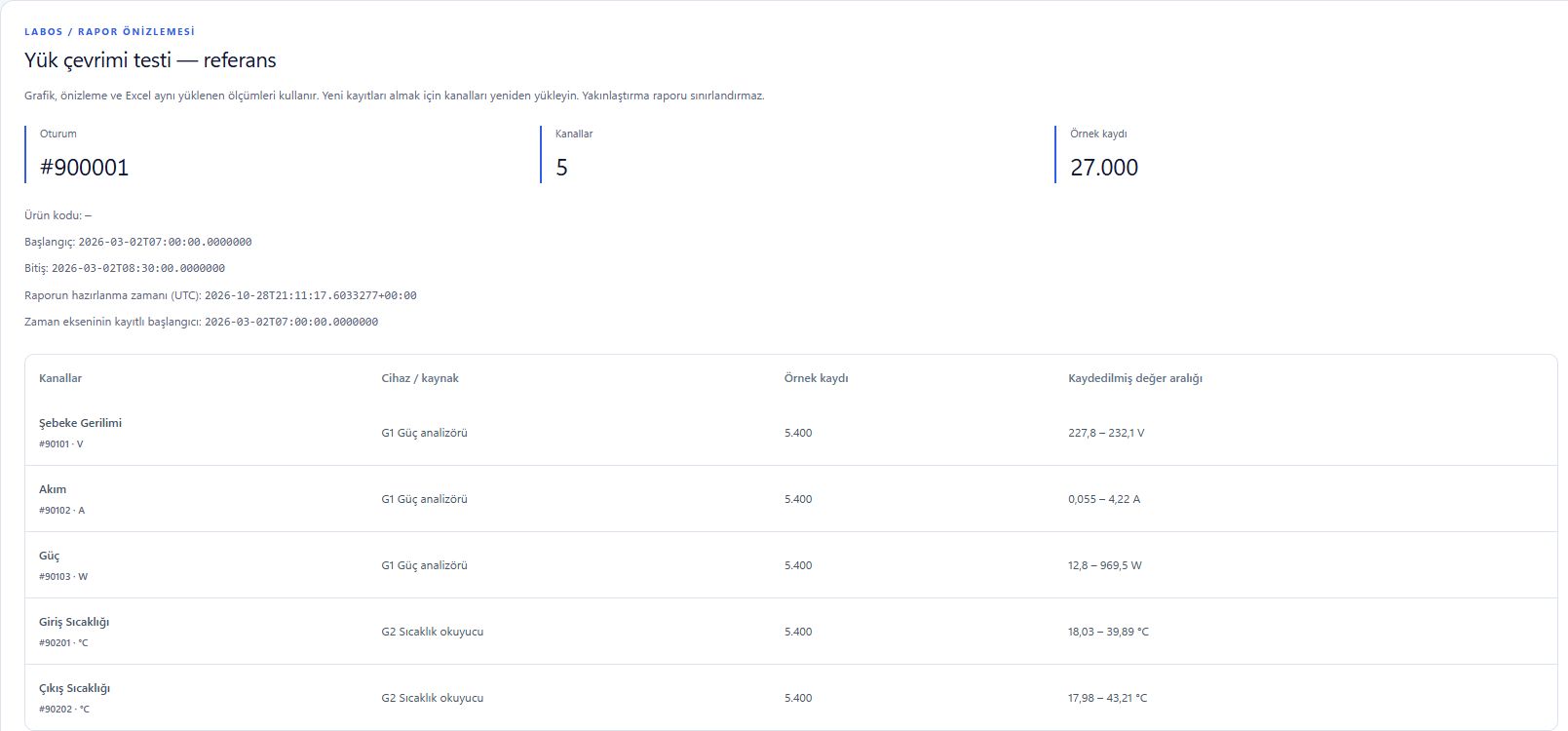
From data to charts and reports.
The current LabOS demo shows five channels and 27,000 recorded points. The chart and report use the same test recording, preserving sources and units.
29 October 2026 · Actual LabOS interface shown in Turkish, synthetic demo data. These images are not customer measurements or evidence of field performance.
Getting started
- 01
Identify the existing record sources.
- 02
Map measurement data and test context to a shared structure.
- 03
Establish archive, comparison and reporting workflows.
Frequently asked questions
Can multiple test benches be connected?
The platform is configured for the bench and site scope. Capacity and data sources are defined together during the proposal.
Can we start with our existing records?
Using and reporting existing measurement data can be an initial scope. File structures and data sources are reviewed.
Who can access the data?
Users and roles are managed in the common platform. Access scope is configured for your requirements.
What should be checked when comparing test records?
First match instrument and channel sources, measurement units, session times and test conditions. Do not assume that channels with the same name are equivalent. Review each chart and report together with its underlying measurement record.
Instrument and protocol connection guides.
Connection details checked against manufacturer documentation, with steps towards shared records.
ION6200 data acquisition guide
Plan ION6200 Modbus data acquisition with LabOS: connection details, measurement channels, validation and shared records using your existing meter.
Explore ↗MPR-53SMPR-53S data acquisition guide
Prepare Entes MPR-53S RS-485 Modbus RTU integration with LabOS: exact model, connection settings, validation and shared charts and reports.
Explore ↗Existing instrumentLegacy serial instrument guide
Prepare RS-232 or RS-485 legacy instrument data acquisition with LabOS: interface, protocol, channels, validation and shared records.
Explore ↗Modbus RTU / TCP instrumentModbus data acquisition guide
Plan Modbus RTU and TCP data acquisition with LabOS: connection options, register mapping, first-reading checks, shared records, charts and reports.
Explore ↗The software scope you need.
Modules and capacity follow your requirements. An annual software license option is available; instrument integration and installation scope are defined in the proposal.
Annual rental refers to the software license.Contact us about your project.
Share your instruments and test requirements. Let’s define the integration and software scope together.
Phone and WhatsApp: Atıl Fırat
+90 543 942 01 18